How to register as a 39C Administrator
- 000001089
Step 1: To register for a 39C account, please click here.
Complete the required fields on the form and choose your current role that is most applicable to you at your institution: Professor/Instructor, Dean, Administrator, Librarian/Copyright Clearance. Click Submit.
Step 2: Account Verification
Once you have submitted the form, you will receive a confirmation email for your request. One of our customer service team members will review your request to verify your academic credentials. Verification may take longer if all fields are not accurately complete.
Once your account is approved, you will receive an email confirming your registration and another email to validate your account and set a password.
How to order using your approved 39C administrator account
1. Once your account is approved, go to the Ivey Publishing website – www.iveypublishing.ca
2. Login to your account.
3. Enter the product numbers or title on the top search bar for the required products.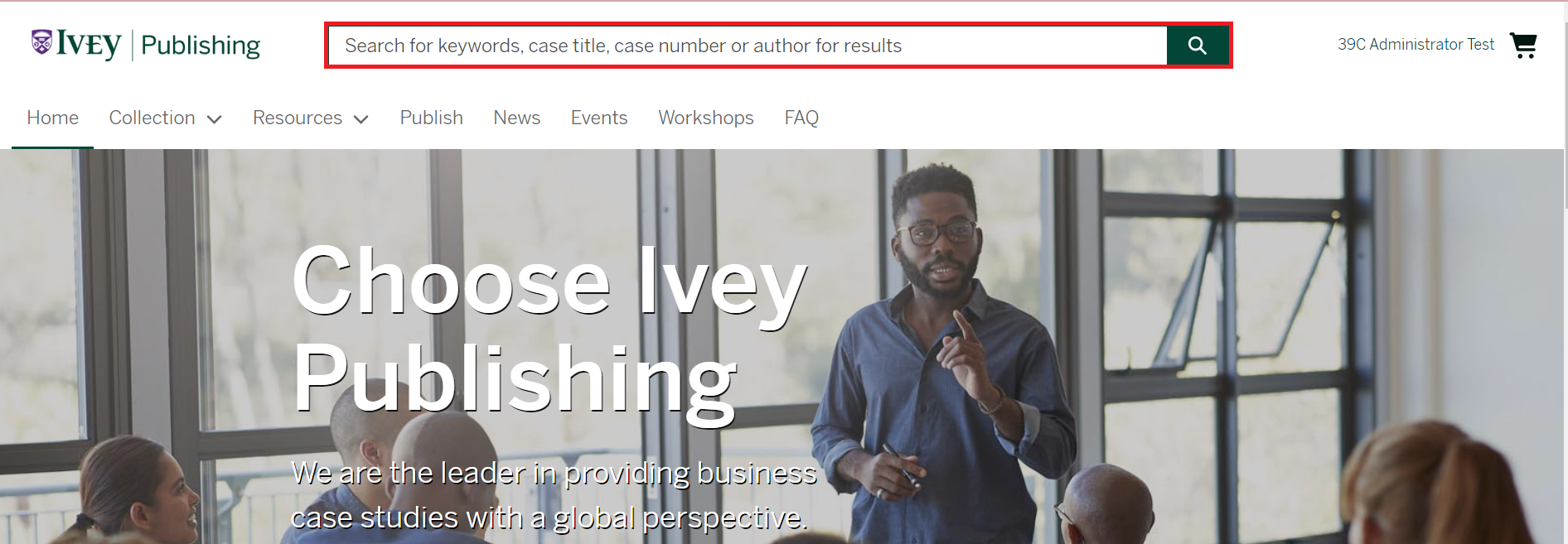
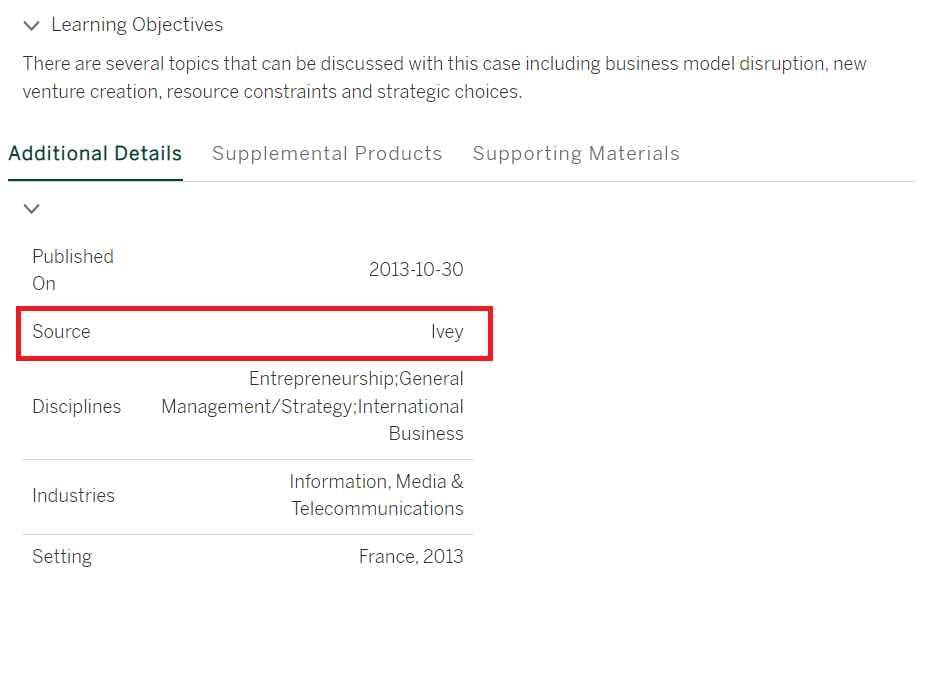
4. Click on the product title for additional details. Please note the 100% discount is applied to Ivey products only. Check the source is listed as “Ivey” for the discount.
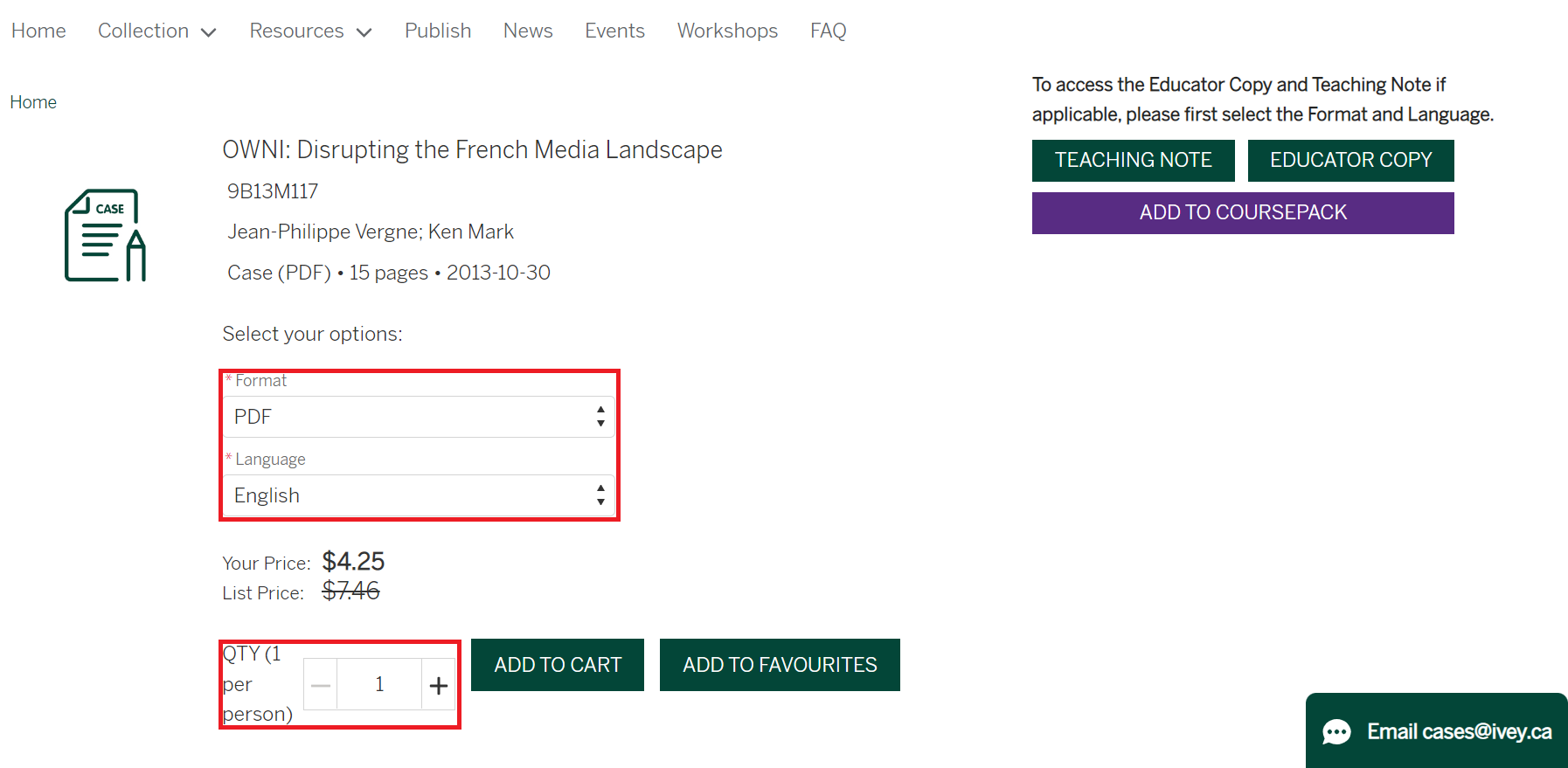
5. Select the quantities needed (one per student) and then ‘Add to Cart’. For products with multiple versions, select format as “PDF” and Language as “English” before adding to cart.
6. Go to ‘My Cart’ located at the top of the page, and review your cart. The 39C discount will automatically be applied to your order.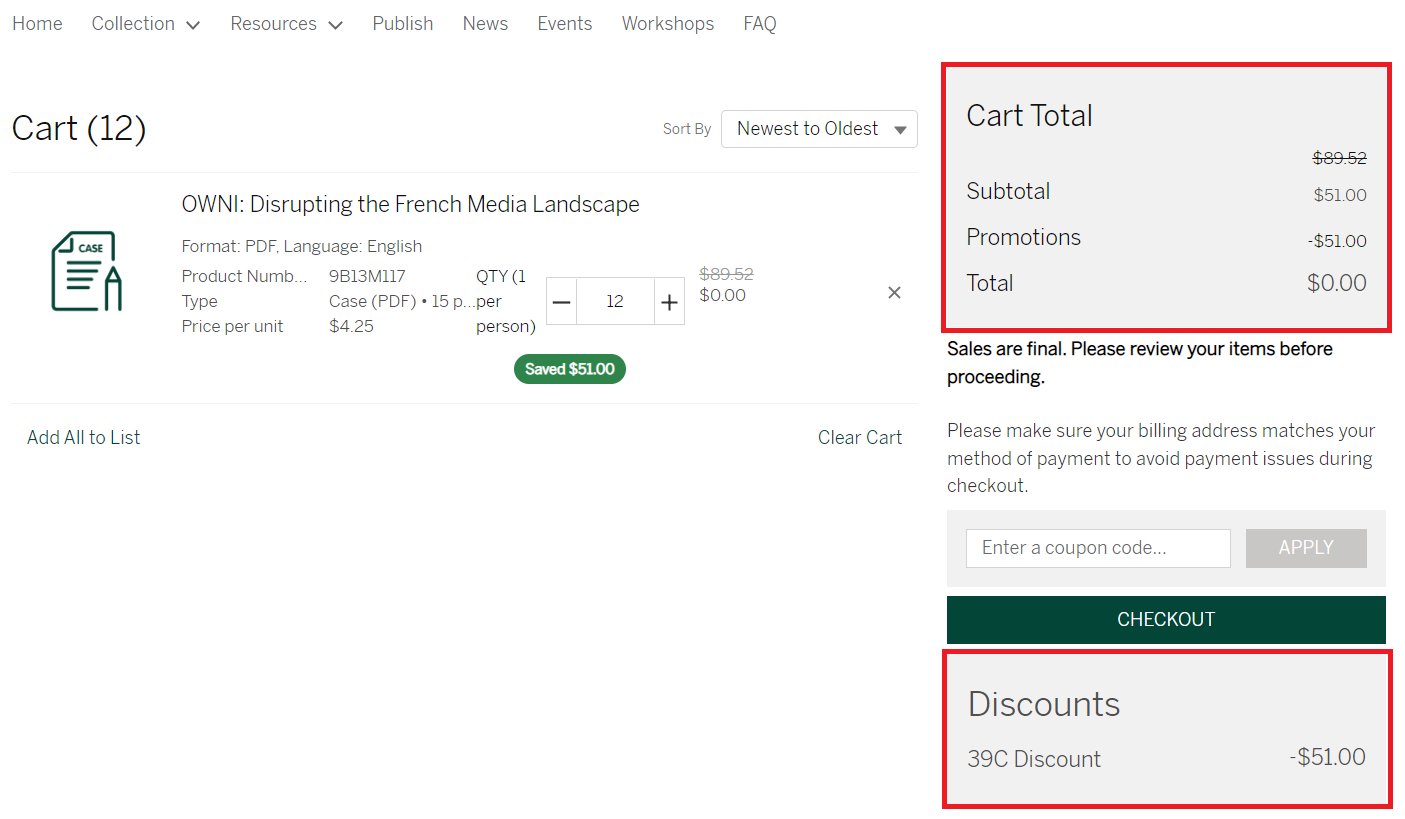
7. Click checkout
8. Enter your course information.
9. Verify your contact information.
10. Review your order.
11. Click on the tab “Invoice” and click on the button labelled 'Pay by Invoice'.
12. Once you have completed your order, click on your username on the top right --> Orders --> Downloads
13. You will receive an order confirmation by email immediately after placing your order.